
NEW: Great Gorilla Scholarship Program
EXPLORE THE POSSIBILITIES
Are you ready to experience a college that goes beyond the classroom? At Pitt State, you're set to conquer the world after you graduate! We make sure you're more than ready for whatever comes your way once you finish your degree. With award-winning technology, business, and science programs you'll be equipped with the skills and knowledge to thrive in today's ever-evolving job market. So, what are you waiting for? Kickstart your path to success!Advising
Take advantage of academic advising and get ready for the next semester.
Enrollment information
Find out all about enrolling in classes, check out Enrollment information
New student orientation
Calling all incoming students to register for CARES new student orientation.
Chat with us
Scholarships
Yes, scholarships are still available. Hurry up and apply for admission.
Summer semester
Take advantage of your summer and earn some credits towards your degree.
Explore our schedule of classes, conveniently organized by day, time, and instructor.

Important dates
Apply for Fall
High school seniors – admission for Fall 2024 is open Apply for admission
Mar. 9
Spring break starts
Apr. 7
Early enrollment Check it out
June
New student orientation. Register
Gorilla Connection
The Gorilla Connection provides coverage of inspiring people, cutting-edge projects, and major milestones at Pittsburg State.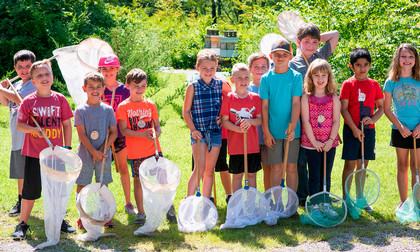



Events at Pitt State
Get ready to experience the ultimate buzz at Pitt State! Whether you're into sports, arts, technology, or community, you'll find your passion and never miss out on the fun. Check out events!
See all EventsPittsburg.
Our Community.
Our Community.